Scrib started as a private notes app for Android. Today, it comes to the desktop, and the source code is public.
Scrib Desktop is a text editor for Windows with built-in AES-256 encryption. Plain text, rich text, and encrypted .scrb files. All in one editor. No internet connection. No tracking. No accounts. The full source code is available on GitHub under the GPL-3.0 license.
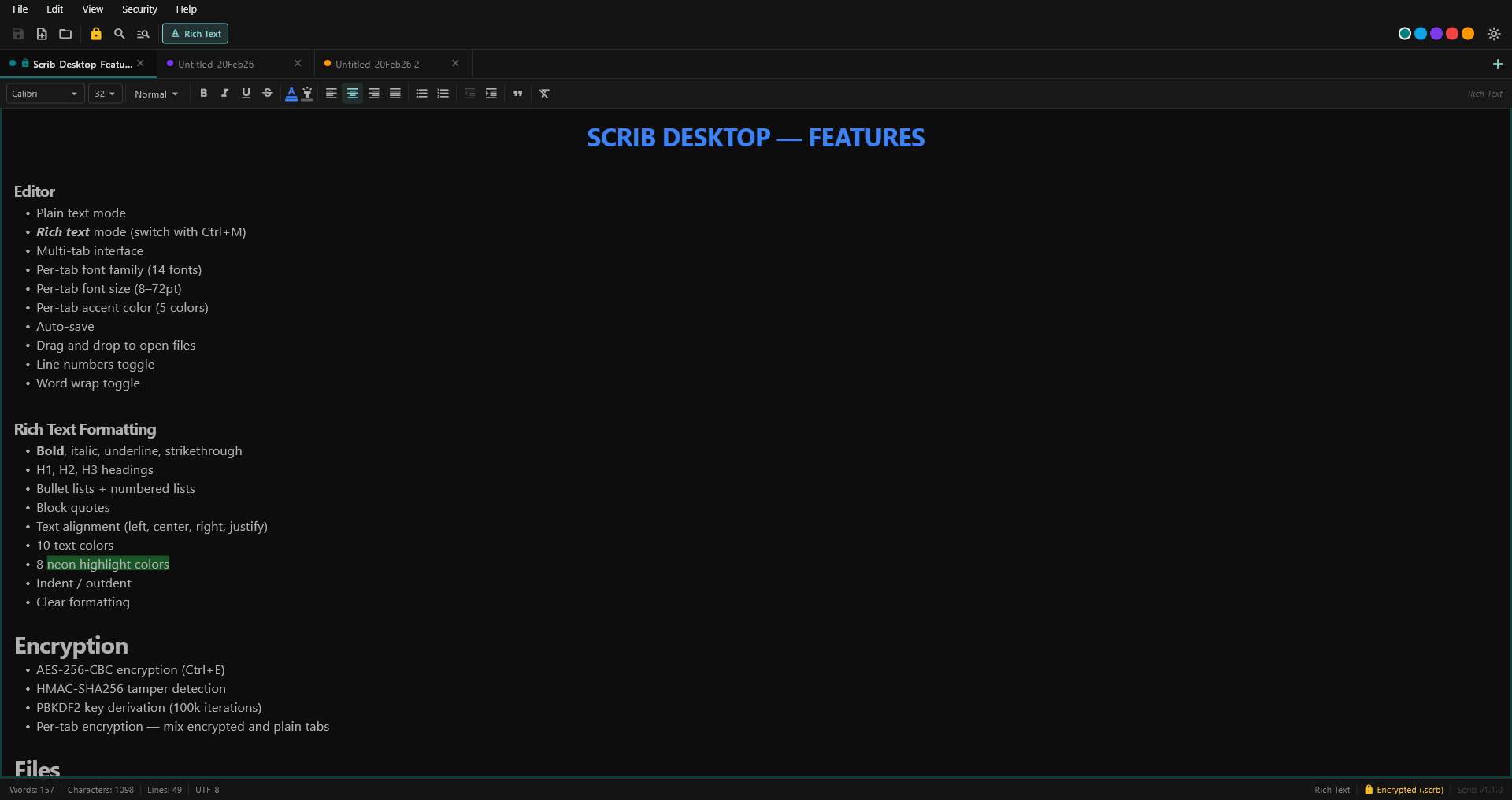
Scrib Desktop. Multi-tab, rich text, encrypted. Three tabs open, encryption active.
What It Is
If you've ever wished Notepad had tabs and rich text, or WordPad had encryption, that's basically what Scrib Desktop is. A straightforward text editor that does the three things well:
- Plain text editing, with line numbers, word wrap, and adjustable font size
- Rich text editing. Bold, italic, underline, headings, lists, block quotes, 14 system fonts, text colors, neon highlights
- File encryption. Toggle encryption on any tab and save it as a
.scrbfile, locked with AES-256
You can switch between plain text and rich text on any tab with Ctrl+M. You can encrypt any tab with Ctrl+E. That's it. No setup, no configuration wizard, no 47-step onboarding flow.
The Encryption
Scrib Desktop uses the same philosophy as the Android app: real encryption, not just a password prompt over plain text.
- AES-256-CBC with HMAC-SHA256 (Encrypt-then-MAC)
- PBKDF2-SHA256 key derivation. 100,000 iterations
- Fresh random IV and salt generated every time you save
- HMAC verified before decryption. Tampered files are rejected
- Encryption keys are zeroed from memory after use
- Encryption runs in a background thread so the UI never freezes
The entire encryption implementation is in one file. file_service.dart. You can read every line.
Why Open Source
When you tell someone their files are encrypted, they have to take your word for it. Unless you show them the code. That's the point.
The Scrib Android app is a published Play Store app, and open-sourcing it introduces complexity around the build pipeline. But Scrib Desktop is a standalone Windows editor with no accounts, no server, no API keys. There's nothing to hide, so there's no reason not to share it.
The whole project structure is documented in the README. If you want to know exactly how your files are encrypted, go look.
What's Inside
Beyond the editor and encryption, Scrib Desktop includes:
- Multi-tab interface. Open as many files as you want, each with its own color
- Find & Replace. Per-tab search plus search across all open tabs
- File format support. Opens .txt, .rtf, .md, .json, .xml, .yaml, .csv, .log, .ini, and .cfg files
- RTF import/export. Preserves formatting between Scrib's rich text and standard RTF
- Dark, Light, and System themes. Material 3 design
- Drag and drop. Drop files onto the window to open them
- Auto-save, on a configurable timer
- Portable, extract the zip and run, no installer
Built With Claude Code
Scrib Desktop was built collaboratively with Claude Code, Anthropic's AI coding CLI. The architecture decisions, UX design, and direction were mine. The code execution was a genuine back-and-forth, like pair programming with someone who types very fast and never gets tired.
This isn't a disclaimer or a gimmick. It's just how the project was built, and I think it's worth being transparent about. The code quality speaks for itself. You can read every line on GitHub.
Get It
- Source code: github.com/beeswaxpat/scrib-desktop
- Download: Latest release. Extract and run, no installer needed
- License: GPL-3.0
- Requirements: Windows 10 or later
If you build from source, you'll need Flutter 3.7+ and Visual Studio 2022 with the Desktop C++ workload. Full build instructions are in the README.
Keep Reading
- Best Private Notes Apps for Windows: Scrib Desktop compared honestly against Joplin, Standard Notes, Obsidian, and Notesnook
- Encrypted Notepad for Windows: what actually works when you want a locked text file
- Why Your Notes Need Encryption in 2026: why encryption matters for everyday notes
- Google Keep vs Encrypted Notes: what happens to your data in cloud-based note apps
- Best Private Notes Apps for Android: comparison of the top encrypted and offline notes apps
- Best Notes App Without an Account: apps that work with no sign-up
Scrib on Android
Looking for encrypted notes on your phone? Scrib for Android has AES-256 encryption, PIN lock, Private Vault, and works completely offline.